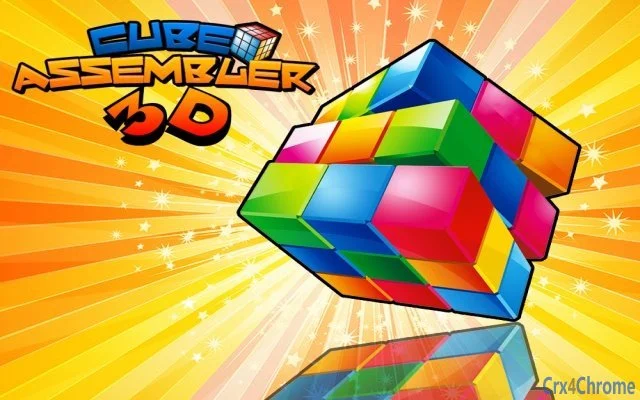

Drag & Rotate Puzzle Challenge
Overview
The Drag & Rotate Puzzle Challenge is a browser-based puzzle game designed to engage users with intuitive mechanics centered around spatial manipulation. Players interact with a cube-like structure by dragging columns or rows in specific directions to align patterns or solve visual configurations. The game emphasizes logic, pattern recognition, and strategic planning, offering a calming yet mentally stimulating experience.
It is ideal for casual players, puzzle enthusiasts, and individuals seeking a low-pressure way to exercise their cognitive skills. The game is accessible across multiple platforms, including Windows, Mac, and Linux, making it widely available to desktop users. Real-world usage scenarios include short breaks during work, evening relaxation, or mental warm-ups before studying.
The developer did not provide additional background information. No installation is required, as the game runs directly in the browser, reducing barriers to entry and enabling immediate play.
Key Features & Capabilities
- Drag-to-Adjust Mechanics – Players move columns or rows by dragging them in the desired direction, allowing for precise control over puzzle elements.
- 3D Cube Rotation – Use mouse clicks and drags around the cube to rotate the entire structure, enabling a full view of the puzzle from any angle.
- Interactive Gameplay – The game responds directly to mouse input, providing real-time feedback as players manipulate the puzzle.
- Minimalist Design – The interface focuses on the core gameplay, avoiding distractions and emphasizing clarity and simplicity.
- Platform-Agnostic Access – Runs in modern web browsers on Windows, Mac, and Linux without requiring installation.
These features support a seamless experience for users who value intuitive interaction and visual clarity. For example, dragging a row to align color patterns tests spatial reasoning, while rotating the cube helps players anticipate how moves affect the overall configuration. The game’s design encourages experimentation and trial-and-error learning, making it suitable for both beginners and experienced puzzle solvers. Since the game is browser-based, users can access it from any device with a compatible browser, ensuring consistent play across environments.
User Interface, Workflow & Performance
The user interface is clean and focused, centered on the interactive cube with minimal visual clutter. Navigation is entirely mouse-driven, with drag-and-drop mechanics for moving puzzle elements and rotating the cube. The workflow is linear and intuitive: players observe the current state, make a move, and assess the result.
This direct interaction reduces cognitive load and supports quick learning. The game’s performance is expected to be stable on modern systems, as it relies on standard web technologies. However, exact performance details were not specified.
The developer did not provide information about CPU or RAM usage. Based on general behavior of browser-based games, resource consumption is likely to remain low under normal conditions. Stability appears to be maintained through efficient rendering, though no formal testing data was made available.
No reported crashes or bugs were mentioned in the provided details.
Compatibility & System Requirements
The software is compatible with Windows, Mac, and Linux operating systems, ensuring broad accessibility across desktop environments. The game runs directly in a web browser, eliminating the need for dedicated installation or platform-specific builds. As such, the installation size is effectively zero, since no files are stored locally.
The developer did not specify exact system requirements, including minimum CPU, RAM, or graphics capabilities. Compatibility information was partially provided, with only the supported platforms listed. No details were shared about required browser versions or web standards (e.g., HTML5, WebGL).
Users should ensure their browser is up to date to guarantee smooth operation. No additional software dependencies were mentioned.
Pros and Cons
Pros
- Free to use with no hidden costs or in-app purchases
- Runs in any modern browser without installation
- Simple, intuitive controls using mouse input
- Accessible on Windows, Mac, and Linux
- Relaxing and mentally engaging gameplay suitable for short sessions
Cons
- No information on system requirements or performance impact
- Limited to browser-based access; no offline mode available
- No version history or update frequency details provided
- Developer background and support channels are not disclosed
- Game difficulty progression and level variety are not described
FAQ Section
Is Drag & Rotate Puzzle Challenge available for offline use?
The game runs entirely in the browser and does not support offline play. Users must have an active internet connection to access and play the game.
What operating systems does the game support?
The game is compatible with Windows, Mac, and Linux, as long as a modern web browser is installed.
Is the software safe to use?
As a browser-based game, it does not install files on your system. However, users should only access the game through trusted websites to avoid potential security risks.
Are there updates for this game?
Update frequency and version history were not provided. The game may be updated periodically, but no official release notes or changelogs are available.
What kind of license does the game have?
The software is offered as free-to-play with no explicit license details disclosed. It is intended for personal, non-commercial use.
Final Thoughts + CTA
Drag & Rotate Puzzle Challenge delivers a focused, enjoyable experience for fans of logic and spatial reasoning games. Its minimalist design, intuitive controls, and cross-platform availability make it a strong choice for casual users seeking a quick mental break. While the lack of detailed system requirements and update information limits transparency, the game’s free access and browser-based nature significantly lower the barrier to entry.
It is best suited for individuals who value simplicity, portability, and mental engagement without the need for downloads or installations. For those looking to test their strategy and spatial awareness in a relaxing format, this game offers a compelling solution. Download Drag & Rotate Puzzle Challenge now.







